
Blogs
Posts by Mitchell Marsh

The Role of Time Tracking in Remote Work Success
Introduction The modern workforce now utilizes remote work as an integral part of the job which has helped to simplify and provide effective work among employees and companies. But if time management is ineffective, productivity may fall, and accountability becomes a problem. This is exactly where AI-powered time tracking tools like Clock Session come to the rescue. They provide the ability for companies to log hours for each employee across projects, while also providing efficiency by streamlining their processes. Why Time Tracking is Crucial for Remote Work Enhances Productivity It may be hard for remote workers to obtain the same degree of concentration and productivity as if they were located in a structured work environment. Good time tracking tools help people check their hours so that the tasks can be completed on time. These solutions also examine your work patterns, suggesting how to best manage your time. Promotes Accountability Employers are usually concerned about remote employees spending their time productively. Productivity is systematic, time tracking software provides transparency creating an environment that enables managers to understand work hours and tasks, which subsequently tune their managerial skills without resorting to micromanagement. Improves Work-Life Balance Setting boundaries can be a huge challenge for those working remotely. Time tracking tools promote a balanced schedule, preventing burnout and assisting employees in keeping a healthy workload. Optimizes Resource Allocation Time tracking data helps businesses to better allocate resources. Managers can study where projects need reallocating or redistributing resources and efforts to tap into productivity patterns. Key Benefits of AI-Powered Time Tracking Tools Automated Time Logging AI-driven solutions eliminate the need for paper forms and manual entries, automating the process, which leads to error reductions as well as time savings. Smart tracking also tracks when employees start or finish work and records that. Data-Driven Insights AI-powered tools monitor work patterns and provide reports that enable teams to discover roadblocks and enhance productivity. These reports allow businesses to take the next step in optimizing their workflow management. Seamless Integration with Project Management Tools Time tracking software can integrate with Trello, Asana and Slack so your teams can track time spent on each task without having to switch between apps. Customizable Work Schedules The software allows for open scheduling for employees; the employees choose when they want to work, showcasing flexibility without sacrificing productivity. AI based tools also send reminders for breaks thus stopping over screen time and exhaustion. How Clock Session Enhances Remote Work Efficiency Clock Session is a time tracking software powered by AI that is used to ensure remote teams as well as individuals keep track of their schedule. With features like start, stop, and real-time progress with automatic time tracking, intelligent reports, etc., it ensures that the employees utilize their working hour to the maximum Key Features of Clock Session: AI-Powered Time Tracking: Provides accurate working hours without entering manually. Task-Based Reporting: Helps you understand how long each project takes. Seamless Integrations: Works with every popular tool for project management Smart Alerts: Alerts users to keep them productive. User-Friendly Dashboard: A user-friendly dashboard that allows seamless navigation for employees and managers. Clock Session improves productivity, accountability, and creates an organized flow in remote teams. Best Practices for Implementing Time Tracking in Remote Work Encourage Employee Buy-In Some employees may think time tracking invades their privacy. It is essential to convey the benefits of time tracking, such as increased flexibility, better workload management, and accurate payroll processing. Set Clear Guidelines Setting clear expectations regarding employee use of time tracking tools promotes a smooth transition. They should outline work schedules, break times and task-tracking protocols. Use AI-Powered Analytics for Decision-Making Thus, instead of using time tracking just as a measure for monitoring, businesses need to harness the power of AI-driven insights for enhancing workflows, rooting out inefficiencies, and improving performance altogether. Ensure Privacy and Compliance Data security and employee privacy must be at the forefront. Choose GDPR-compliant tools, allowing you to know how time tracking data is used. Conclusion The importance of time tracking has grown in parallel with developments in remote working. AI-based solutions like Clock Session enables business to streamline workflows and instill accountability while empowering employees to take better control of their own time. By utilizing intelligent time tracking in their everyday life, remote teams can enhance work-life equilibrium and sustain their efficiency to the fullest. Are you prepared to step up your remote work game? Now download Clock Session!

AI in Time Management: How Smart Algorithms Optimize Workflows
Introduction One of the most valuable resources in the modern workplace is time; however, efficient management of time is still a prerogative few professionals and businesses have mastered. But with traditional time-tracking methods, it usually results in inefficiency, inaccuracy, and hours wasted. But now, with new artificial intelligence (AI) advancements, organizations are using smart algorithms to streamline workflows and improve productivity. An application like Clock Session brings a revolutionary change in the way businesses track time, manage and optimize resource allocation, and employee productivity with such AI time management tools. The Role of AI in Time Management AI in Time Management includes automating tasks, predicting workflow patterns, and providing actionable insights are all ways that AI is transforming time management. Here are some keyways AI is optimizing time management: Automated Time Tracking: AI frees the workforce from logging hours as it keeps check of your activity. Smart Scheduling: AI tools predict who will be under pressure or more likely to not perform well based on their workload. Predictive Analytics: AI conduct analysis of tasks that take time and offers solutions to be more efficient. Task Prioritization: Smart algorithms facilitate employees to stay focused on the priority tasks to increase productivity. Performance Insights: AI creates reports highlighting your time-sinks and gives you potential areas of improvement. How AI-Powered Tools Optimize Workflows Eliminating Manual Time Tracking Errors In many enterprises, the working time of the workers is still reliably tracked by hand, which is prone to errors & often laid up to discourage incorrect reports, from time tracking with considerable payroll errors. This is done via AI that ensures information is collected correctly, easing administrative burdens. Enhancing Productivity with AI Automation AI-powered apps perform repetitive tasks like sending updates, generating reports and tracking hours. This frees staff to focus their time and attention on the higher-priority initiatives. Intelligent Task Management and Prioritization Smart algorithms evaluate workloads and deadlines to prioritize tasks. AI-driven suggestions about which tasks require immediate attention are provided to employees that help them to work more efficiently. Reducing Workplace Distractions AI is able to track digital distractions like too much time on social media or long breaks taken, it can show how time is spent. Process audits are unable to expose the inefficiencies that exist inside organizations that help actively put in exercises that decrease loss of productivity. Real-Time Performance Tracking Clock Session, an AI time tracking tool generates employee’s instant performance reports. It helps managers monitor progress, spot bottlenecks, and make data-driven decisions to improve workflow efficiency. The Benefits of AI in Time Management Increased Accuracy and Transparency AI solves the problem of human error in timekeeping, leading to more accurate reporting and fairer payroll calculations. This, therefore, gives employees and managers some insight into working hours and productivity levels. Enhanced Work-Life Balance AI also minimizes burnout and strikes a better work-life balance among employees by managing their workloads for them via automating administrative work and optimizing schedules. Cost Savings and Improved ROI AI saves administrative costs as automating time management processes makes the overall operations efficient and reduces time to acquire higher ROI. Improved Employee Accountability Employees become increasingly responsible for their hours worked, thanks to AI-generated reports and real-time monitoring. It promotes discipline and a work culture focused on results. Clock Session: Your AI-Powered Time Management Solution Clock Session is an advanced AI-based time tracking and workflow optimization software that enables business origination improved productivity and efficiency. Clock Session uses data to allow organizations to be on top of their workforce potential with features such as automated time tracking, smart scheduling, and real-time performance monitoring. Why Choose Clock Session? AI-Powered Tracking: You will be able to track how many hours were worked weekly or bi-weekly, when the task has a completed date, and the last check date. Smart Scheduling: Optimizes team schedules for seamless workflow management. Detailed Analytics: Offers comprehensive reports on productivity patterns and time utilization and reporting. User-Friendly Interface: Simple to navigate, facilitating smooth implementation across teams. Conclusion Automation, intelligence and efficiency in workflows are provided by AI, which is transforming time management. Businesses have to keep adopting AI-powered platforms such as Clock Session to give them an edge over the competition, streamline operations, and increase productivity in the employees in today’s fast-paced workplace. It is really great way, but it is a time to accept AI in your life.

The Impact of Automated Time Tracking on Employee Efficiency
Introduction Succeeding in the fast-paced arena of work today requires efficiency. But businesses of all kinds are always looking for time management solutions to help boost employee productivity and improve time management accuracy. Old-fashioned time tracking methods, like punch cards or handwritten diaries, can no longer keep up with the complexity of modern workflows. Automated time tracking is a solution that can be implemented here, as it provides an invisible and effective solution for tracking work hours, improving work performance and increasing productivity. What is Automated Time Tracking? Notably, automated time tracking is one such solution where employees’ working hours are tracked without any manual involvement. These systems make use of AI, machine learning, and real time data analysis to monitor activity, determine work patterns, and provide invaluable reporting. This will help businesses avoid liability from human errors and time theft as now businesses will have accurate records of timekeeping and payroll management. Benefits of Automated Time Tracking 1. Enhanced Accuracy and Transparency Automated time tracking has one of its major benefits in being accurate. Unlike traditional systems that depend on time-consuming manual entries, these systems provide accurate logging for work hours. This avoids any discrepancies and ensures that employees are compensated fairly for their time. 2. Improved Employee Productivity Hence with real time tracking, employees tend to be more aware of their work hours and hence less distracted and more focused. Automated tracking means no more manual timesheets — so employees can spend more time in their suits and not at a desk doing admin. 3. Better Project Management The automated time tracking tool generates comprehensive reports that cover how much time has been spent on specific tasks or even projects. This helps managers spot bottlenecks so they can optimize workflows and allocate resources appropriately. 4. Seamless Payroll Processing Mistakes in time entries can cause payroll errors that translate to a loss of money and frustration for employees. Automated time tracking offers integrations for payroll systems so that you can ensure your employees are paid accurately and on time. 5. Reduced Time Theft and Buddy Punching Manual methods of tracking time led to time theft and buddy punching. For example, biometric authentication, AI-based tracking, and geolocation features help to prevent fraud, ensuring that only employees authorized to clock in and out employees do so. 6. Compliance with Labor Laws Compliance with labor laws is of utmost importance for every business. Additionally, it keeps organizations compliant by providing accurate data on working hours, overtime, and breaks thus minimizing legal risks. How Automated Time Tracking Improves Employee Efficiency Encourages Accountability Employees are kept focused and productive when they know you are monitoring their work hours. Automated time tracking also gives a sense of accountability, allowing employees to accomplish things in the given hours. Optimizes Work Schedules Armed with time tracking reports, managers can plan schedules in a way that ensures their employees are neither overworked nor underutilized. This aids in keeping a balanced workload and in avoiding burnout. Reduces Administrative Burden Automated Time Tracking removes the need for manual record-keeping, allowing HR and administrative teams to avoid time-consuming paperwork by having an automated tracking system in place. This enables them to spend time on high-level tasks that help grow the business. Enhances Remote Work Efficiency Automated time tracking has gained a lot of importance in the remote work era. This allows employers to track the working hours of remote employees and ensure adherence to their work-from-home policies without micromanagement. Challenges of Implementing Automated Time Tracking However, while automated time tracking is advantageous, it also comes with its own set of challenges: Employee Resistance: Some employees might consider time management to be an invasion of their privacy. To combat this companies should explain the advantages and guarantee the employees that the automated system is designed to improve efficiency and not make it all into the micromanagement. Initial Setup Costs: In the early stages, there may be a cost associated with implementing time tracking software. Despite the cost, the potential long-term benefits in terms of increased efficiency and accuracy far outweigh the costs. Integration with Existing Systems: Employers must make sure that the time tracking system integrates smoothly with payroll, project management and HR support tools for smooth operation. Clock Session: Revolutionizing Time Tracking Clock Session, an innovative time tracking software that leverages the power of AI technologies to increase employee productivity and optimize work processes. We provide real-time tracking, in-depth analytics, and automated reports that eliminate human errors and increase speed. Why Choose Clock Session? AI-Powered Automation: Everyone spends time on things at work, which in turn guarantees proper record keeping of work hours and activities Seamless Integration: Compatible with existing payroll and project management solutions. Real-Time Reports: Excellent performance overview analytics. User-Friendly Interface: Simplifies the adoption process, making it user-friendly. Secure and Reliable: Employees Data safety and their Rights as per the labor law. Conclusion Time tracking automation is changing how businesses track employee’s productivity. These tools help businesses succeed in many ways by eradicating manual inefficiencies, increasing accuracy, and improving accountability. Incorporating AI-powered solutions, like Clock Session, businesses can elevate their time management to the next level, keeping the workforce productive and efficient. In the current work landscape, switching to automatic time tracking is no longer a choice, it is a necessity. Investing in the right tool can improve performance, transparency, and efficiency, a triple win in the same platform.
How Clock Session Can Help You Optimize Workforce Management
Introduction Optimizing workforce management is key to improving productivity, lowering operational costs, and ensuring employee efficiency in today’s fast-paced business world. Organizations, always on the lookout for business operational efficiency, have found an invaluable solution in Artificial Intelligence-driven time-tracking software. Clock Session is a sophisticated employee time tracking software that aids companies in measuring, controlling, and improving their employees to their full potential. Clock Session is your one-stop solution for AI-powered insights, automated time tracking, and agile monitoring, whether you’re a small business owner or a large enterprise. In this blog, we’ll discuss how Clock Session optimizes workforce management for businesses and the need for a tech-driven solution like Clock Session. What is AI-Driven Time Tracking Software? Al-based time tracking software uses automation technology powered by artificial intelligence to log time spent by employees at work, the completion of their tasks, and their overall productivity. AI-based solutions provide real-time insights, automated reports, and smart analytics that do not rely only on historical data to lead to better decision-making and workforce planning, unlike traditional time-tracking methods. Clock Session infuses organizations with valuable time-saving features through time tracking driven by AI to do auto calculation, eliminate manual error and detect time theft. Automated tracking ensures accurate payroll processing, equitable workload allocation, and optimal employee scheduling. Key Benefits of Clock Session for Workforce Management AI-Powered Time Tracking for Accuracy Clock Session is an AI-powered time tracking software that automatically tracks work hours without requiring you to manually enter any input. Built-in timers can be started or stopped by employees, and the system detects active versus idle work periods to help maximize accuracy. Benefits: Lowers manual time entry mistakes Eliminates time theft and buddy punching Strengthens transparency and accountability Real-Time Employee Monitoring For organizations handling remote or hybrid teams, real-time monitoring is key. Clock Session allows employees to track, in real-time, their tasks, work hours, and their screens. Benefits: Assists in monitoring employee productivity in real-time Gives information on working habits and workplace productivity Keeps teams on track and meets deadlines Automated Timesheets & Payroll Integration Processing payroll manually could be lengthy and error prone. Clock Session automatically creates timesheets from AI-monitored working hours and securely connects to payroll. Benefits: Automation of payroll calculations Reduces payroll discrepancies Keeps you in compliance with labor laws Smart Task & Project Management With Clock Session, managers can assign, track and monitor projects in real-time, which helps teams stay in the loop. Assistance with work collaboration: With AI-enabled analytics, we can get project timelines, alerts for deadlines, and work progress tracking. Benefits: Improves the planning and execution of the project Also stops delays and guarantees fast delivery Enhances coordination and accountability in a team Productivity Analytics & AI Insights With AI-driven time tracking software, you get smart analytics helping organizations learn employee performance and productivity trends. Clock Session offers full-fledged insights about working patterns, productivity level, and time distribution. Benefits: Clearly highlights areas needing improvement It helps make decisions based on data Assists in optimizing resource allocation Remote & Hybrid Workforce Management Now that remote work and hybrid models that combine both are on the rise, businesses require tools to keep track of employee performance no matter where they are in the world. Clock Session provides cloud-based, AI-driven workforce monitoring to help ensure that your remote teams are productive. Benefits: Allows flexible management of your work Keeps remote teams aligned as they work Eliminate time wastage or distractions Why Businesses Need AI-Driven Time Tracking Software Most of the workforce management tools are manual and insufficient in providing real time insights and automation. Here’s what AI-powered solutions like Clock Session provide: Automated time tracking – No manual entries required Data-driven decision-making – Analytics driven by AI Reduced time wastage – Tracks success of productivity Better workforce planning – Streamlines work hours AI-driven employee time tracking software boosts productivity, improves compliance, and aids efficiency in workforce management. How to Get Started with Clock Session? Using Clock Session is easy and productive: Sign Up & Set Up Your Dashboard – Go through account creation and set up using the business requirements. Add Employees & Assign Tasks – Invite your team, set up roles, and assign tasks. Start Tracking Time & Productivity – Leverage AI-powered automation to track working hours and performance. Analyze Reports & Optimize Workforce Management – Drive performance using data-driven insights. Conclusion Business success heavily relies on effective workforce management. Transitioning to AI-powered time tracking software such as Clock Session is the first step towards removing wasted time, increasing efficiency and ensuring all team members are working at their optimal productivity. Clock Session is the ultimate solution for modern workforce management, offering features like automated time tracking, real-time monitoring, payroll integration, and AI-powered analytics. Streamline your workforce with Clock Session – Get started.
7 Benefits of Time Tracking for Your Business
Introduction: In the dynamic landscape of modern business, time is not just money—it’s the very fabric that weaves together productivity, efficiency, and ultimately, the success of your enterprise. Yet, in the hustle and bustle of daily operations, time can easily slip through our fingers, leaving us wondering where it all went. Enter time tracking—a powerful ally in the quest for optimized productivity and streamlined operations. In this comprehensive guide, we will embark on a journey to explore the multifaceted benefits of time tracking for your business. From understanding the essence of time tracking to practical tips for seamless integration, we’ll delve deep into each aspect to equip you with the knowledge and tools necessary to unlock the full potential of your business. What is Time Tracking? At its core, time tracking is the systematic process of monitoring and recording the time spent on various tasks, projects, or activities within your business. It serves as a digital ledger, meticulously documenting the allocation of time across different facets of your operations. Whether it’s tracking billable hours for client projects or monitoring internal tasks, time tracking provides invaluable insights into the utilization of your most precious resource—time. The Importance of Time Tracking in Business: Before we delve into the specific benefits of time tracking, let’s take a moment to appreciate its overarching importance in the realm of business operations. Time tracking serves as the bedrock upon which efficient workflow processes, informed decision-making, and strategic resource allocation are built. Here are some key reasons why time tracking is indispensable in the modern business landscape: Accountability: Time tracking instills a sense of accountability among employees, ensuring that they are cognizant of how they allocate their time throughout the workday. By fostering accountability, time tracking encourages individuals to take ownership of their tasks and responsibilities, ultimately driving productivity and performance. Resource Allocation: Effective resource allocation is the cornerstone of efficient operations. Time tracking provides invaluable data insights into how resources—whether it’s manpower, finances, or materials—are utilized across different projects and tasks. Armed with this information, businesses can optimize their resource allocation strategies to maximize efficiency and profitability. Performance Evaluation: Time tracking offers an objective framework for evaluating employee performance. By analyzing time tracking data, managers can gain valuable insights into the productivity and efficiency of individual team members. This data-driven approach to performance evaluation enables businesses to identify top performers, address areas for improvement, and foster a culture of continuous growth and development. Project Management: In today’s fast-paced business environment, effective project management is essential for delivering projects on time and within budget. Time tracking provides project managers with real-time visibility into project progress, resource allocation, and potential bottlenecks. Armed with this information, project managers can proactively address issues, optimize workflows, and ensure successful project outcomes. Billing and Invoicing: For service-based businesses, accurate time tracking is essential for billing clients accurately and transparently. By tracking billable hours and expenses in real-time, businesses can generate detailed invoices that reflect the true value of the services rendered. This transparency not only fosters trust and credibility with clients but also helps businesses maintain healthy cash flow and profitability. Compliance and Legal Protection: In industries with regulatory requirements or legal obligations, time tracking plays a critical role in ensuring compliance and mitigating legal risks. Accurate time tracking records serve as a verifiable documentation of work hours, project timelines, and resource allocation. In the event of audits, investigations, or legal disputes, these records can provide businesses with the necessary evidence to demonstrate compliance and protect against potential liabilities. Continuous Improvement: Last but certainly not least, time tracking serves as a catalyst for continuous improvement within your organization. By analyzing time tracking data, businesses can identify inefficiencies, streamline workflows, and implement strategic changes to enhance productivity and performance. This data-driven approach to improvement empowers businesses to adapt to changing market dynamics, stay ahead of the competition, and achieve long-term success. 7 Benefits of Time Tracking: Now that we’ve laid the groundwork for understanding the importance of time tracking let’s delve into the seven key benefits it offers for your business: Enhanced Productivity: At its core, time tracking is a tool for maximizing productivity by fostering accountability, prioritization, and focus among employees. When individuals are aware of how they spend their time, they are more likely to stay on task, minimize distractions, and make efficient use of their working hours. Improved Time Management: Effective time management is the linchpin of successful operations. Time tracking provides employees with valuable insights into their time usage patterns, enabling them to identify time-wasting activities, optimize workflows, and allocate time more effectively to high-priority tasks. Accurate Project Budgeting: Time tracking provides businesses with accurate data on the time and resources invested in each project. Armed with this information, businesses can create more precise project budgets, estimate future project costs with greater accuracy, and avoid cost overruns that can erode profitability. Better Resource Allocation: Resource allocation is a balancing act that requires businesses to optimize the utilization of available resources while minimizing waste. Time tracking helps businesses identify underutilized resources, reallocate them to more critical tasks or projects, and optimize workforce capacity for improved efficiency and productivity. Data-Driven Decision Making: In today’s data-driven business landscape, informed decision-making is paramount for success. Time tracking generates valuable data insights that businesses can leverage to make informed decisions about resource allocation, project prioritization, and operational efficiency. By analyzing time tracking data, businesses can identify trends, pinpoint areas for improvement, and implement strategies to optimize performance and achieve their objectives. Transparent Client Billing: For service-based businesses, accurate time tracking is essential for transparent client billing. By tracking billable hours and expenses accurately, businesses can provide clients with detailed invoices that reflect the true value of the services rendered. This transparency not only fosters trust and credibility with clients but also helps businesses maintain healthy cash flow and profitability. Compliance and Legal Protection: In regulated industries or environments with legal requirements, time tracking serves as a critical tool for ensuring compliance and mitigating

How Clock Session Fosters a Positive Workplace, Leading to Increased Employee Satisfaction and Output.
In the ever-evolving landscape of modern workplaces, fostering a positive work environment is no longer a mere nicety but a strategic imperative. Employee satisfaction and productivity are intricately linked, forming the backbone of organizational success. In this exploration, we’ll delve into the ways Clock Session, with its innovative features, plays a transformative role in cultivating a positive workplace, ultimately leading to heightened employee satisfaction and increased output. Understanding the Foundations: What Constitutes a Positive Workplace? A positive workplace extends beyond superficial perks; it is an ecosystem where employees feel valued, engaged, and motivated. Elements such as effective communication, recognition, work-life balance, and growth opportunities contribute to the overall satisfaction of employees. Clock Session, recognizing these foundational aspects, aligns its features to create an environment conducive to positivity. 1) Effective Communication: A Cornerstone of Positivity Effective communication is the lifeblood of any positive workplace. Clock Session facilitates transparent communication by providing a centralized platform for task management, real-time collaboration, and seamless information sharing. With Clock Session, teams can communicate efficiently, fostering a sense of connectivity and shared purpose. 2) Recognition and Appreciation: Nurturing a Culture of Value A positive workplace acknowledges and appreciates the contributions of its employees. Clock Session integrates recognition features that allow teams to celebrate milestones, achievements, and individual efforts. By incorporating a culture of appreciation, Clock Session contributes to an uplifting atmosphere where employees feel valued and motivated to excel. 3) Work-Life Balance: Striking the Right Equation Balancing professional responsibilities with personal well-being is integral to employee satisfaction. Clock Session supports flexible work arrangements, enabling employees to manage their time effectively. This commitment to work-life balance not only enhances job satisfaction but also contributes to sustained productivity. 4) Growth Opportunities: Cultivating a Culture of Development Employees thrive in environments where they can grow and develop. Clock Session supports personalized development programs, allowing organizations to invest in the professional growth of their workforce. By nurturing a culture of continuous learning, Clock Session becomes a catalyst for job satisfaction and increased productivity. Clock Session in Action: Navigating Features for Positivity 1) Task Management: Streamlining Workflow for Enhanced Communication Clock Session’s task management features simplify complex workflows, promoting efficient collaboration. By providing a centralized hub for task allocation, progress tracking, and deadline management, Clock Session enhances communication within teams, reducing misunderstandings and fostering a positive, collaborative spirit. 2) Recognition Features: Elevating Appreciation to a Strategic Level Clock Session’s integrated recognition features go beyond mere gestures; they become strategic tools for reinforcing positive behavior. Employees can express appreciation for their peers’ contributions, creating a culture where acknowledgment is not just a formality but a genuine expression of value. 3) Flexible Work Arrangements: Adapting to Individual Needs Clock Session’s commitment to flexibility allows employees to tailor their work arrangements to suit individual preferences. Whether it’s remote work, flexible hours, or compressed workweeks, Clock Session ensures that employees can achieve a harmonious balance between professional responsibilities and personal life. 4) Professional Development Programs: Investing in the Future Clock Session becomes a partner in employee growth by supporting personalized development programs. Organizations can utilize Clock Session to identify skill gaps, create targeted learning paths, and provide resources for upskilling. This investment in development not only enhances employee satisfaction but also fortifies the workforce with increased capabilities. Realizing the Ripple Effect: How Positivity Translates to Increased Output A positive workplace is not a mere feel-good concept; it’s a strategic driver of increased output and productivity. Clock Session’s impact on employee satisfaction creates a ripple effect, influencing various aspects that contribute to enhanced productivity. 1) Enhanced Morale: The Catalyst for Increased Effort A positive workplace fosters high morale among employees. When individuals feel valued and appreciated, they are more likely to invest discretionary effort into their work. Clock Session, by promoting recognition and positive communication, becomes a catalyst for elevated morale, driving employees to go above and beyond in their tasks. 2) Improved Collaboration: Streamlining Processes for Collective Success Effective communication and streamlined workflows, facilitated by Clock Session, lead to improved collaboration. Teams can work cohesively, share insights, and leverage each other’s strengths. Clock Session’s role in fostering a collaborative environment contributes to increased collective output and project success. 3) Greater Resilience: Navigating Challenges with Positivity A positive workplace equips employees with greater resilience in the face of challenges. Clock Session’s features, designed to support effective communication and recognition, create a supportive atmosphere where teams can navigate obstacles with a positive mindset. This resilience translates directly into sustained productivity. 4) Continuous Innovation: A Byproduct of Positive Work Cultures Innovation flourishes in environments where employees are empowered, valued, and encouraged to think creatively. Clock Session’s commitment to professional development and positive communication paves the way for continuous innovation. The result is a workforce that is not just productive but also actively contributing to the evolution of ideas and processes. Conclusion: Elevating Your Work Environment with Clock Session As organizations strive to create positive workplaces that foster employee satisfaction and increase output, Clock Session emerges as a strategic partner in this journey. By aligning its features with the foundational elements of positivity, Clock Session becomes a catalyst for cultural transformation, driving organizations towards sustained success. Explore the Possibilities with Clock Session Discover how Clock Session can elevate your work environment, fostering a positive atmosphere that directly translates to increased employee satisfaction and productivity. Visit www.clocksession.com to explore the features that can shape a transformative workplace. In the dynamic interplay between positivity, satisfaction, and productivity, Clock Session stands as a beacon, guiding organizations towards a future where the workplace is not just a space for tasks but a nurturing ground for the growth and success of individuals and the collective whole.
8 Tips to Help Employees Be More Time Efficient
In the fast-paced realm of the modern workplace, the ability to manage time effectively stands as a linchpin for individual and collective success. Time efficiency isn’t just a personal productivity hack; it’s a foundational principle that can elevate team dynamics and contribute significantly to overall business achievements. In this comprehensive guide, we’ll explore eight actionable tips designed to empower employees to become masters of time efficiency, transforming their workdays and propelling organizational success. 1) Prioritize Tasks with Precision: Effective task prioritization involves understanding the urgency and importance of each task. The Eisenhower Matrix is a valuable tool for this. It categorizes tasks into four quadrants: Urgent and Important: These tasks require immediate attention and should be top priorities. Not Urgent but Important: These tasks contribute to long-term goals and should be scheduled for later. Urgent but Not Important: Tasks that demand immediate attention but don’t contribute significantly to long-term goals can be delegated. Not Urgent and Not Important: Low-priority tasks that can be eliminated or postponed. Employees should regularly assess their task list and categorize items using this matrix, ensuring that their time and effort align with organizational goals. 2) Set S.M.A.R.T. Goals: S.M.A.R.T. goals provide a clear framework for goal-setting: Specific: Clearly define the goal, avoiding ambiguity. Measurable: Establish criteria for measuring progress. Achievable: Ensure the goal is realistic and attainable. Relevant: Align the goal with overall objectives. Time-bound: Set a deadline for goal completion. Encouraging employees to adhere to the S.M.A.R.T. criteria enhances goal clarity, facilitates focused efforts, and fosters a sense of accomplishment. 3) Embrace the Power of Time Blocking: Time blocking involves scheduling specific time slots for different tasks throughout the day. This method: Minimizes Distractions: Employees focus on a single task during each time block, reducing multitasking and distractions. Enhances Focus: Dedicated time for specific activities promotes deep work and concentration. Improves Productivity: Structured time management helps employees complete tasks efficiently. Organizations should encourage employees to experiment with time blocking to find a routine that suits their work style and enhances productivity. 4) Leverage Technology for Automation: Introducing technology, such as Clock Session, for time management and automation can have profound effects: Workflow Simplification: Automation streamlines repetitive tasks, freeing up time for more valuable work. Data Insights: Time-tracking tools provide data on time allocation, helping identify areas for improvement. Efficiency Gains: Automated processes reduce manual effort, minimizing errors and improving overall efficiency. Organizations should invest in technologies that align with their workflow, providing both employees and managers with tools for effective time management. 5) Conquer the Myth of Multitasking: Multitasking, often viewed as a time-saving strategy, can hinder overall productivity: Reduced Quality: Juggling multiple tasks simultaneously often leads to lower quality output. Decreased Efficiency: Constantly switching between tasks incurs a cognitive cost, slowing down overall progress. Increased Stress: Multitasking can contribute to heightened stress levels. Employees should be educated on the benefits of single-tasking, emphasizing quality over quantity and promoting a more focused and efficient work environment. 6) Emphasize the Power of Breaks: Regular breaks are essential for maintaining focus and preventing burnout: Improved Concentration: Short breaks help recharge the brain, enhancing concentration and cognitive function. Enhanced Creativity: Breaks allow for mental refreshment, fostering creative thinking. Stress Reduction: Regular breaks contribute to a healthier work-life balance, reducing stress levels. Organizations should create a culture that values and encourages taking breaks, understanding that these pauses contribute to sustained productivity.7 7) Cultivate Clear Communication: Effective communication is paramount for efficient collaboration: Avoids Misunderstandings: Clear communication reduces the risk of misunderstandings and errors. Streamlines Processes: Team members understand expectations, leading to smoother workflows. Enhances Team Dynamics: Open communication fosters a positive team environment. Encouraging transparent communication, both in person and through digital channels, is vital for creating a cohesive and efficient work culture. 8) Foster Continuous Learning: Investing in continuous learning and skill development contributes to a dynamic and adaptable workforce: Adaptability: Ongoing training ensures employees stay abreast of industry trends and technological advancements. Enhanced Problem-Solving: Continuous learning cultivates critical thinking skills, enabling employees to overcome challenges more effectively. Employee Engagement: Opportunities for skill development contribute to higher job satisfaction and employee engagement. In Conclusion: Mastering time efficiency is a journey that requires commitment, proactive measures, and a collaborative effort from both employees and organizations. By implementing these eight comprehensive tips, individuals can cultivate habits that lead to superior time management, heightened productivity, and a significant contribution to the overall success of the team and organization. As the saying goes, “Time is money,” and these strategies will help everyone make the most of it, creating a workplace where efficiency is not just a goal but a way of life. And now, introducing Clock Session – Your Partner in Time Mastery! As you embark on your journey to optimize time management, consider leveraging Clock Session, a cutting-edge solution designed to automate time tracking processes. Clock Session streamlines workflows, provides insightful data on time allocation, and empowers individuals and organizations to make data-driven decisions. Visit www.clocksession.com to explore how Clock Session can become your trusted ally in the pursuit of time efficiency. Unleash the power of automation and gain valuable insights into your time management practices. Clock Session – where every second counts toward your success! Remember, the mastery of time is not just a destination; it’s a continuous journey toward personal and professional excellence. Embrace these tips, adopt new strategies, and let Clock Session be your guide to unlocking the full potential of your time. Here’s to a future where productivity knows no bounds!
Rethinking Employee Evaluation: Focusing on Productivity Over Attendance
In the dynamic landscape of the modern workplace, employers need to reassess traditional methods of evaluating employees. One area that warrants a closer look is the tendency to gauge performance based on attendance rather than productivity. In this blog post, we’ll explore the drawbacks of placing too much emphasis on attendance and discuss the benefits of shifting the focus toward productivity as a more accurate measure of employee success. The Downside of Attendance-Centric Evaluation The Changing Nature of Work: The traditional 9-to-5 workday is rapidly becoming a relic of the past as the landscape of work evolves. The rise of remote work and flexible schedules challenges the effectiveness of rigid attendance policies. Employees may no longer be tethered to their desks, yet their contributions remain crucial to the success of the organization. Impact on Employee Morale: Overemphasizing attendance can have detrimental effects on employee morale. When individuals feel they are being judged more on their presence than their actual contributions, it can lead to demotivation and a decline in job satisfaction. In an era where work-life balance is increasingly prioritized, strict attendance policies may inadvertently hinder employee engagement. Overlooking Actual Contributions: Placing too much importance on attendance runs the risk of undervaluing employees who excel in non-traditional work arrangements. Some of the most innovative and productive employees may not conform to standard 9-to-5 hours. It’s crucial to recognize that true productivity is about results and impact, not just the number of hours spent at a desk. Productivity as the True Measure Redefining Success Metrics: To accurately measure employee success, it’s essential to redefine the metrics used for evaluation. Instead of focusing solely on attendance, organizations should explore alternative metrics that highlight actual productivity and contributions to the company’s objectives. Aligning evaluation criteria with organizational goals is key to fostering a results-oriented culture. Results-Oriented Approach: Shifting the evaluation paradigm from time-based to outcome-based is a critical step in recognizing true productivity. Employees should be evaluated based on the results they deliver rather than the hours they clock. This approach not only encourages innovation but also emphasizes efficiency and effectiveness in achieving business goals. Technology as an Enabler: In the digital age, technology plays a pivotal role in tracking and measuring productivity. Tools and software designed for remote performance evaluation enable organizations to gain insights into employee contributions, regardless of their physical location. Leveraging technology allows for a more accurate and comprehensive assessment of an employee’s impact on the organization. Strategies for Implementing Productivity-Centric Evaluation Clear Communication: Establishing transparent expectations is fundamental to implementing a productivity-centric evaluation system. Both employers and employees should have a clear understanding of the criteria used to measure success. Open communication channels between management and staff create a supportive environment that encourages productivity. Setting SMART Goals: Setting Specific, Measurable, Achievable, Relevant, and Time-bound (SMART) goals is a fundamental strategy for aligning individual objectives with organizational priorities. Tailoring goals to each employee’s role and responsibilities ensures that productivity is directed toward achieving the company’s overarching mission. Regular Feedback and Recognition: Consistent feedback is a cornerstone of effective performance evaluation. Regular check-ins between managers and employees provide an opportunity to discuss progress, address challenges, and celebrate achievements. Recognizing and rewarding employees based on their contributions reinforces a positive and results-driven culture. Case Studies and Success Stories Highlighting Companies with Progressive Evaluation Practices: Numerous companies have successfully transitioned to productivity-centric evaluation practices. Take, for example, [Company A], which shifted its focus from strict attendance policies to outcome-based assessments. The result was a more motivated workforce that not only met but exceeded performance expectations. Such success stories provide valuable insights for organizations looking to embrace a productivity-driven approach. Key Takeaways and Lessons Learned: Learning from the experiences of companies that have already made the shift is crucial. Key takeaways include the importance of flexibility, the need for clear communication, and the role of technology in enabling productivity measurement. By understanding the lessons learned by others, organizations can navigate the transition more effectively. Conclusion In conclusion, the traditional approach of evaluating employees based on attendance is becoming outdated in the rapidly evolving world of work. Shifting the focus towards productivity offers a more accurate representation of an employee’s contributions to the organization. By embracing this approach, companies can foster a culture of innovation, flexibility, and overall employee satisfaction, ultimately leading to improved organizational success. As we move forward into the future of work, prioritizing productivity over attendance is not just a shift in evaluation methods but a strategic move toward building a resilient and thriving workforce.
Time Tracking Software for Consultants
In the fast-paced world of consultancy, time is not just money; it’s the very essence of the business. Effective time management is not only vital for personal productivity but is a linchpin for accurate client billing and ensuring the profitability of your projects. This guide is your compass in the vast sea of time tracking software, helping you navigate towards the ideal solution for your consultancy business. Why Consultants Need Time Tracking Software Time as a Valuable Resource Time is at the core of consultancy services. Understanding its value and utilizing it effectively is key to success. Time tracking software empowers consultants to make the most of every minute, maximizing productivity and client satisfaction. Challenges in Time Management Consultants face unique challenges in managing their time. Balancing multiple projects, client meetings, and administrative tasks can be overwhelming. Time tracking software acts as a digital assistant, simplifying the process and allowing consultants to focus on what they do best. The Role of Technology Technology has transformed the way consultants work. Time tracking software leverages technology to automate tedious tasks, provide real-time insights, and enhance overall efficiency. Embracing technology is not just a choice; it’s a necessity for staying competitive in the consultancy landscape. Key Features to Look for in Time Tracking Software Project-Based Time Tracking Effective time tracking for consultants revolves around projects. Look for software that allows you to allocate time to specific projects, ensuring accurate billing and resource allocation. Client and Task Categorization Not all clients and tasks are created equal. Your time tracking software should enable you to categorize time entries by clients and tasks, providing detailed insights into where your time is invested. Mobile Accessibility Consultants are often on the move. Opt for time tracking software with robust mobile accessibility, allowing you to log hours, check project statuses, and generate reports from anywhere. Integration with Project Management Tools Seamless integration with project management tools is a game-changer. The ability to sync time tracking data with project workflows enhances collaboration and eliminates redundant data entry. Invoicing Capabilities Efficient invoicing is a natural extension of time tracking. Choose software that streamlines the invoicing process, pulling data directly from your time entries to create accurate and timely invoices. Top Time Tracking Software for Consultants Clock Session: Clock Session stands out as a comprehensive time tracking solution designed with consultants in mind. With features like project-based tracking, mobile accessibility, and seamless integration, Clock Session simplifies time management for consultants, allowing them to focus on delivering exceptional services. ClickUp: Discover how ClickUp stands out as an excellent time tracking solution for consultants. Dive into its user-friendly interface, robust features, and seamless integration possibilities that streamline consultancy workflows. Harvest: Harvest stands out as a versatile time tracking tool designed to meet the specific needs of consultants. This section delves into the key features, functionalities, and advantages that make Harvest a valuable asset for consultancy firms. How to Implement Time Tracking Software Effectively Introducing Time Tracking to Your Team Implementing time tracking software is a cultural shift. Communicate the benefits, addressing concerns, and emphasizing how it contributes to individual and collective success. Overcoming Resistance Resistance to change is natural. Provide training sessions, highlight the user-friendly aspects of the software, and showcase success stories from within the team to build confidence in the new system. Training and Onboarding Invest in thorough training and onboarding processes. Ensure that every team member is comfortable with the software and understands how it aligns with their daily tasks and goals. Ensuring Data Security and Privacy Importance of Client Data Confidentiality Client data is sacred. The chosen time tracking software should prioritize data security and confidentiality, aligning with industry standards and regulations. Security Features to Look For Encryption, secure servers, and access controls are crucial security features. Ensure that the software employs robust security measures to protect sensitive time-tracking data. Compliance with Data Protection Regulations Verify that the time tracking software complies with data protection regulations such as GDPR. A commitment to legal and ethical data handling is non-negotiable. Real-world Benefits of Time Tracking for Consultants Improved Project Profitability Accurate time tracking directly impacts project profitability. Consultants can identify inefficiencies, allocate resources effectively, and ensure that billable hours are optimized. Enhanced Client Transparency Transparent communication with clients builds trust. Time tracking software provides clients with clear insights into how their investment is utilized, fostering transparency and long-term partnerships. Streamlined Billing and Invoicing Processes Billing becomes a breeze with time tracking software. Automate the invoicing process, reducing errors and ensuring that clients receive accurate and timely invoices. Data-driven Insights for Business Growth Time tracking data is a goldmine of insights. Consultants can analyze trends, identify areas for improvement, and make informed decisions for the sustainable growth of their consultancy business. Common Pitfalls to Avoid Selecting Software Without Scalability Your consultancy will evolve. Choose time tracking software that scales with your business, accommodating the growing number of projects, clients, and team members. Overlooking Integration Capabilities Isolated tools create silos. Ensure that your time tracking software seamlessly integrates with existing project management, invoicing, and communication.
Time Tracker Screenshots: Enhance Accountability and Transparency
Introduction In the contemporary landscape of business, where accountability and transparency are pivotal, integrating time tracker screenshots into your workflow emerges as a strategic move with profound implications. This comprehensive exploration delves into the multifaceted advantages of adopting time tracker screenshots, unraveling their potential to not only enhance productivity but also establish an unshakable foundation of accountability and transparency within your organization. The Dynamics of Visual Documentation 1) Fostering a Culture of Transparent Collaboration The integration of time tracker screenshots becomes a catalyst for fostering a culture of transparency and collaboration within your team. By providing enhanced visibility into ongoing tasks and projects, this feature creates an environment where trust becomes more than a buzzword—it becomes an intrinsic aspect of your organizational DNA. 2) Elevating Individual and Team Accountability The transformative impact of visual proof in fostering a sense of responsibility among team members cannot be overstated. Explore how the awareness of being monitored positively influences individual and collective performance, creating a domino effect of heightened accountability throughout the organization. 3) Transforming Client Relationships Through Visual Evidence In client-based projects, visual evidence becomes the linchpin in eliminating disputes, ensuring accurate billing, and fostering a client-provider relationship built on trust and transparency. Discover how time tracker screenshots become a strategic asset in client communications and satisfaction. Optimizing the Integration of Time Tracker Screenshots 1) Fine – Tuning Screenshot Frequency for Optimal Results Dive into the nuances of configuring screenshot settings to strike a delicate balance between accountability and privacy. Learn how customizable frequencies empower you to tailor the level of visual documentation to your unique organizational needs, ensuring optimal results without compromising individual privacy. 2) Navigating Privacy Controls: Balancing Accountability and Individual Rights Explore the importance of privacy in the workplace and how a well-designed time-tracking tool, like Clock Session, allows for the exclusion of sensitive information from screenshots. This nuanced approach ensures a focus on work-related content while respecting individual privacy rights. 3) Leveraging Screenshots for Collaborative Excellence Uncover the collaborative potential of visual documentation. Learn how team members can use screenshots as valuable tools for communication, feedback, and mutual support, fostering a culture of collaborative excellence that transcends traditional communication barriers. Clock Session: Revolutionizing Time Tracking with Visual Insights 1) Seamless Integration with an Intuitive Interface Discover how Clock Session’s user-friendly platform simplifies the configuration and management of screenshot settings, ensuring seamless integration into your existing workflow. The intuitive interface facilitates a smooth onboarding process for all team members. 2) Advanced Privacy Features: Respecting User Confidentiality Prioritize user privacy with Clock Session’s advanced features, allowing the exclusion of specific content from screenshots. By respecting user confidentiality, Clock Session strikes the perfect balance between accountability and individual privacy, ensuring a workplace environment built on trust. 3) Comprehensive Reporting for Informed Decision-Making Unearth the power of Clock Session’s comprehensive reporting, where screenshot data seamlessly integrates with other time-tracking metrics. Gain invaluable insights into productivity patterns, identify areas for improvement, and make informed decisions that drive organizational success. Realizing the Benefits: Case Studies and Practical Insights Embark on a journey through real-world case studies that illustrate the tangible benefits organizations have experienced through the implementation of time tracker screenshots. Gain practical insights into how this visual documentation tool has not only improved productivity but also reshaped organizational cultures, making them more agile and responsive to change. Conclusion: Embrace the Future of Efficient Time Tracking As we conclude this deep dive, it becomes evident that incorporating time tracker screenshots into your workflow is more than a strategic move; it’s a paradigm shift toward building a culture of trust, accountability, and transparency. Elevate your team’s productivity and experience the future of efficient time tracking with Clock Session. Ready to embark on this transformative journey? Sign up for a Clock Session and witness the positive impact on your organization today!
Which Industries Can Benefit the Most from Using Time Tracking Software?
In the contemporary landscape of dynamic industries, the quest for optimal efficiency is unending. Enter time tracking software – a versatile tool that has transcended its initial confines to become a linchpin across diverse sectors. Let’s embark on a comprehensive journey, uncovering how time tracking software intricately weaves its benefits into the fabric of various industries. 1) IT and Software Development: Precision in Project Lifecycles In the realm of Information Technology (IT) and software development, where agility is paramount, time tracking software emerges as a beacon of precision. It meticulously records the time invested in the coding, testing, and debugging phases. This granular insight not only aids in accurate project estimation but also enables timely deliveries, efficient resource allocation, and informed decision-making. 2) Construction: Orchestrating Project Harmony Construction projects, marked by multifaceted tasks and diverse teams, demand meticulous orchestration. Time-tracking software empowers project managers to monitor on-site activities, track labor hours, and optimize resource management. The result is a streamlined construction process with reduced delays and enhanced workforce productivity. 3) Healthcare: Ensuring Compliance and Patient-Centric Care In the healthcare domain, compliance is non-negotiable. Time tracking software steps in to ensure meticulous recording of billable hours, fostering adherence to regulatory standards. Beyond compliance, it aids healthcare providers in optimizing time allocation and striking a balance between administrative duties and patient-centric care. 4) Freelancers and Creative Industries: Transparent Billing Practices For freelancers and creative professionals, where projects are often billed on an hourly basis, transparency is the cornerstone of healthy client relationships. Time tracking software introduces clarity into billing practices, enabling freelancers to provide clients with detailed breakdowns of hours invested in creative endeavors. This transparency not only fosters trust but also ensures fair compensation. 5) Legal Services: Billing Precision and Client Communication In the legal realm, where time is synonymous with value, time tracking software ensures billing precision. Attorneys and legal professionals can meticulously record hours dedicated to specific cases, enhancing transparency in client communication. This tool becomes a strategic asset in justifying fees, bolstering client satisfaction, and optimizing the overall efficiency of legal practices. 6) Education: Crafting Academic Excellence Educators and researchers in the education sector can harness the power of time-tracking software to streamline their multifaceted roles. From planning lectures to conducting research, this tool aids in effective time allocation. The result is not only heightened productivity but also a more organized and focused approach to academic responsibilities. 7) Consulting: Navigating Client Relationships In the consulting arena, where client engagement is paramount, time-tracking software takes center stage. Consultants can monitor hours devoted to different clients and projects, offering invaluable data for optimizing client interactions, ensuring project profitability, and maintaining a competitive edge in the consulting landscape. 8) Exploring the Nuances Beyond these major sectors, the applicability of time tracking software extends to myriad industries. From manufacturing to marketing, every sector stands to gain from the nuanced insights provided by this technological marvel. 9) Manufacturing: Streamlining Operations In manufacturing, where precision is synonymous with success, time tracking software streamlines operations by offering insights into production timelines, workforce efficiency, and resource utilization. 10) Marketing: Enhancing Campaign Management For marketing professionals juggling multiple campaigns, time-tracking software becomes a strategic ally. It helps in allocating time to different marketing initiatives, ensuring that each campaign receives the attention it deserves. 11) Hospitality: Optimizing Guest Experiences In the hospitality industry, where every moment contributes to the guest experience, time tracking software aids in efficient staff scheduling, ensuring that the right personnel is available at the right time. 12) Retail: Balancing Inventory and Customer Service For retailers managing inventory and customer service, time tracking software assists in optimizing staff schedules, ensuring that there’s ample support during peak shopping hours. The Future of Time Tracking As industries evolve and diversify, the functionalities of time tracking software will likely undergo continuous refinement. Its role will extend beyond efficiency to encompass strategic planning, data-driven decision-making, and fostering a culture of productivity. In conclusion, the adaptability and versatility of time tracking software make it an indispensable tool for businesses across the spectrum. The key lies not just in adopting such a tool but in selecting one that aligns seamlessly with the unique workflows of a particular industry. As industries embrace this technological evolution, the journey toward heightened efficiency and strategic growth will continue to unfold. The story of time tracking software is one of ongoing innovation, transforming the very fabric of how industries measure and manage time.
How Does an Employee Time Clock Online Contribute to the HR Cycle in the Organization
Introduction: In the ever-evolving realm of Human Resources (HR) management, the pursuit of innovative tools to streamline processes and boost efficiency remains a constant. One such transformative element gaining prominence is the integration of online employee time clocks, reshaping the traditional approach to workforce management. This comprehensive exploration delves into the multifaceted contributions of online employee time clocks to the HR cycle, shedding light on the myriad advantages they bring to modern organizations. Understanding Online Employee Time Clocks: Online employee time clocks represent a digital evolution of the conventional timekeeping system. These systems enable employees to log their work hours electronically, providing a centralized and automated solution for tracking attendance, breaks, and overtime. The integration of cloud-based technologies has further amplified the accessibility and functionality of these tools, allowing seamless integration with broader HR systems. Contributions to the HR Cycle: 1) Precision in Attendance Tracking: Online employee time clocks offer real-time and accurate attendance tracking. This precision ensures that HR managers have a clear understanding of each employee’s work hours, facilitating payroll processes and minimizing errors associated with manual timekeeping. 2) Streamlined Payroll Processes: The integration of online time clocks with payroll systems significantly streamlines payroll processes. Automated timekeeping eliminates the need for manual data entry, reducing the likelihood of errors and ensuring that employees are accurately compensated for their work. 3) Overtime Management and Compliance: Effective overtime management is a critical aspect of HR compliance. Online time clocks assist organizations in monitoring and managing overtime hours, ensuring adherence to labor laws and regulations. Alerts and notifications can be set up to prevent unauthorized overtime, promote compliance, and avoid legal complications. 4) Enhanced Employee Productivity: Transparent time tracking fosters a culture of accountability among employees. Knowing that their work hours are accurately recorded, employees are motivated to manage their time effectively, leading to improved productivity and overall performance. 5) Data-Driven Decision Making: The data generated by online employee time clocks provides valuable insights for HR managers. Analyzing trends in attendance, identifying peak work hours, and assessing resource allocation become more data-driven, empowering HR teams to make informed decisions that benefit both employees and the organization. 6) Employee Empowerment and Flexibility: Online time clocks often come with self-service portals, empowering employees to manage their time-related tasks. This includes requesting time off, viewing schedules, and accessing historical time data. Such features contribute to a more engaged and satisfied workforce. 7) Comprehensive Reporting and Analytics: Modern online time clock systems offer robust reporting and analytics features. HR managers can generate customized reports on various aspects of workforce management, aiding in strategic planning, budgeting, and resource allocation. Conclusion: In navigating the complexities of modern HR management, the adoption of online employee time clocks emerges as a pivotal step toward efficiency, accuracy, and compliance. By automating timekeeping processes, these tools contribute significantly to the HR cycle, allowing organizations to focus on strategic initiatives and cultivate a workplace that values transparency and productivity. Embracing the digital evolution of time tracking is not just a technological upgrade; it’s a strategic investment in the future of HR management.
How to Measure Employee Productivity
In the fast-paced and ever-evolving landscape of the modern workplace, where flexibility and efficiency are paramount, measuring and optimizing employee productivity has become a crucial aspect of organizational success. This comprehensive guide aims to delve into the intricacies of measuring and enhancing employee productivity, drawing insights from industry practices, the latest trends, and real-world applications. The Significance of Employee Productivity Measurement Employee productivity stands as the cornerstone of organizational success, impacting not only operational efficiency but also overall profitability, employee satisfaction, and client relations. By comprehensively measuring productivity, businesses can identify areas for improvement, implement targeted strategies, and foster a more productive and engaged workforce. Key Metrics for Employee Productivity Measurement Time Tracking and Utilization In the pursuit of enhanced productivity, businesses are increasingly turning to advanced time-tracking tools. These tools not only record work hours but also provide valuable insights into how time is utilized. Understanding these insights allows businesses to implement strategies to enhance time utilization for optimal results. Task Completion Rates Analyzing the rate at which tasks and projects are completed is a fundamental metric in measuring productivity. Businesses can identify bottlenecks, streamline processes, and leverage task management tools to enhance overall efficiency and project completion. Quality of Work Measuring the quality of work produced by employees is as crucial as assessing quantity. Implementing feedback mechanisms and continuous improvement strategies based on quality metrics contribute to a more holistic approach to productivity measurement. Employee Engagement The correlation between employee engagement and productivity is well-established. Businesses are exploring strategies to boost employee morale and motivation, especially in the context of remote work. Leveraging technology to foster remote employee engagement is a critical component of modern productivity measurement. Technological Solutions for Productivity Measurement Introduction to Employee Monitoring Software Cutting-edge employee monitoring software offers functionalities beyond simple time tracking. These tools provide insights into various aspects of employee work patterns. However, ethical considerations associated with monitoring software must be carefully navigated to maintain a positive work culture. Integration of Project Management Tools Project management tools play a pivotal role in productivity measurement. By providing a centralized platform for task assignment, progress tracking, and collaboration, these tools contribute to streamlined operations and improved productivity. Automation for Streamlined Operations Automation is a key player in reducing manual workload and enhancing productivity. From routine tasks to complex processes, businesses are adopting automation tools to free up time for more strategic and creative endeavors. Employee Productivity Best Practices Setting Clear Objectives and Goals Transparent goal-setting is foundational to enhancing employee productivity. Aligning individual goals with organizational objectives ensures a sense of purpose and direction for every employee. Training and Skill Development Continuous learning and skill development are integral to boosting productivity. Businesses should invest in training programs that upskill employees, keeping them abreast of industry trends and advancements. Employee Well-being Initiatives Recognizing the impact of employee well-being on overall productivity, organizations are implementing wellness programs. Striking a balance between work and personal life contributes to a healthier, more engaged workforce. Case Studies: Real-world Applications of Productivity Measurement Success Stories Examining case studies of companies that have successfully implemented productivity measurement strategies provides valuable insights. These success stories highlight positive outcomes and offer lessons learned that can be applied to diverse organizational settings. The Future of Employee Productivity Incorporating Artificial Intelligence (AI) The future of productivity measurement involves the incorporation of Artificial Intelligence (AI). AI-driven tools are emerging that can predict and enhance employee productivity by providing personalized insights and recommendations. Adapting to Remote Work Challenges The rise of remote work poses unique challenges in measuring productivity. Businesses are exploring solutions and best practices for effective remote workforce management, ensuring that employees remain engaged and productive irrespective of their physical location. Clock Session: Revolutionizing Workplace Efficiency In the pursuit of elevating workplace efficiency, Clock Session emerges as a game-changer. Clock Session’s advanced time-tracking software offers seamless transitions between desktop and mobile platforms, allowing for efficient project tracking in both on-premise and remote work environments. With flexible features tailored to your organizational needs, Clock Session empowers you to track customers, projects, billing, or any combination thereof. Why Clock Session? Flexible Features: Track only what you need, whether it’s customers, projects, billing, or all of the above. Powerful Reporting: Gather valuable data for unlimited projects, clients, and activities. Security and Compliance: The most secure time tracker, compliant with time tracking laws worldwide. Embrace Clock Session to make every second count, streamline workforce management, drive operational efficiency, and foster a culture of accountability within your organization. Conclusion As businesses navigate the dynamic landscape of the modern workplace, understanding and measuring employee productivity remain critical. This comprehensive guide aims to equip organizations with the knowledge and tools needed to foster a culture of productivity, engagement, and continuous improvement. Remember, the key to sustained success lies not only in measuring productivity but also in utilizing the insights gained to implement strategic improvements across the organization. Embracing technology, fostering a culture of continuous learning, and prioritizing employee well-being are integral components of a holistic approach to maximizing workplace efficiency. By empowering your workforce and leveraging the right tools, you can create an environment that not only measures productivity but cultivates it for long-term success.
Time Tracking Software Drives Remarkable Return on Investment (ROI)
In today’s fast-paced business environment, time is more than just money—it’s the lifeblood of your organization. How you manage, allocate, and leverage time is a crucial factor in your overall success. For businesses seeking an efficient way to optimize operations, enhance productivity, and drive a remarkable return on investment (ROI), time tracking software emerges as a powerful solution. This comprehensive guide explores the multifaceted ways in which time tracking software can significantly contribute to your organization’s bottom line. Understanding ROI in the Context of Time Tracking Software Return on investment (ROI) measures the profitability of an investment relative to its initial cost. While calculating ROI for tangible assets is straightforward, it becomes more nuanced when dealing with intangible assets, such as time. Time tracking software introduces a unique challenge because it focuses on optimizing time utilization and workforce productivity—areas traditionally perceived as challenging to quantify. However, the impact of time tracking software on your ROI is both tangible and substantial. By providing an array of capabilities that enhance accuracy, efficiency, and strategic decision-making, this software can drive a considerable return on your investment. Harnessing the Power of Accuracy and Efficiency Accurate Billing and Client Satisfaction For service-based businesses, accurate and transparent billing is paramount. Inaccurate or underestimated billable hours can result in revenue loss and erode client trust. Time tracking software is the key to precision in billing, ensuring that you charge clients for every minute of valuable work performed. Beyond bolstering your income, this precision significantly contributes to client satisfaction. Project Profitability Insights Time tracking software provides a granular view of how your team allocates their work hours across different projects and tasks. Armed with this data, you can identify the most profitable projects and those that might need optimization. By strategically allocating resources to projects with a higher ROI, you can maximize profitability. Efficient Resource Allocation Effective resource allocation is pivotal to your company’s profitability. Time tracking software empowers you to understand how much time is devoted to different tasks and projects, allowing you to efficiently allocate resources. By avoiding underutilization and overloading, you ensure that every resource contributes optimally to your bottom line. The Role of Productivity Enhancement Identifying Bottlenecks and Time-Wasting Activities Your organization’s productivity is directly linked to efficient processes and the elimination of time-wasting activities. Time-tracking software acts as a magnifying glass, revealing areas in your workflow that require improvement. By identifying bottlenecks and inefficiencies, you can streamline operations, reduce waste, and enhance overall productivity. Encouraging Employee Accountability Time tracking software creates a culture of accountability within your organization. When team members know that their work hours are being monitored, they are more likely to stay focused and minimize distractions. This accountability fosters an environment of increased productivity, directly impacting your bottom line. Project Cost Control Projects often come with budgets and deadlines, making effective project management a critical factor in your ROI. Time tracking helps you maintain control over project costs by ensuring you stay within budget and meet deadlines. It acts as a safeguard against scope creep and helps you deliver projects on time and within the allocated budget. The Invaluable Resource of Data Informed decision-making relies on data. Time tracking software provides a treasure trove of data about how your team’s time is spent. This information is the bedrock of strategic decisions, resource allocation, and setting organizational priorities. By leveraging this data, you can make decisions that optimize your ROI. Choosing the Right Time Tracking Software To fully harness the potential ROI benefits of time tracking software, it’s imperative to select the right solution for your organization. Several factors should influence your choice: Ease of Use Select software that is intuitive and user-friendly. A complicated system may discourage your team from consistently tracking their time. Integration Capabilities Ensure the software can seamlessly integrate with your existing tools, such as project management and accounting software, for a unified workflow. Robust Reporting Features Look for software with comprehensive reporting capabilities. The more data you can access, the better you can analyze your operations and make meaningful improvements. Mobile Accessibility In today’s mobile-centric world, a mobile app for time tracking can be a significant advantage. It allows your team to track time on the go, ensuring no minute goes unaccounted for. Scalability Choose software that can grow with your business. Scalability is essential, especially if you plan to expand or accommodate more users in the future. Conclusion: The ROI of Time Tracking Software Time tracking software is not merely a tool for monitoring hours worked; it is a strategic asset that can profoundly impact your organization’s return on investment. By enhancing billing accuracy, providing insights into project profitability, optimizing resource allocation, boosting productivity, and promoting employee accountability, time tracking software becomes a pivotal component of your business’s financial success. The first step in driving a remarkable ROI is selecting the right software that aligns with your business needs. If you’re seeking a time tracking solution that offers comprehensive features and drives a significant return on investment, look no further than Clock Session. With its intuitive interface, powerful reporting, and unwavering commitment to security and compliance, Clock Session is your partner in achieving efficient time management, project management, and resource planning. Start using Clock Session today to unlock the benefits of effective time tracking—because every minute counts in your journey to maximize ROI.

Get The Most from Your Workforce Management Platform
Workforce management is a critical aspect of any business. Effectively managing your employees’ time, tasks, and productivity can lead to increased efficiency and, ultimately, higher profits. To achieve this, many businesses turn to workforce management platforms like Clock Session. In this blog, we’ll delve into the world of workforce management and discuss how you can get the most out of your platform. Understanding Workforce Management Workforce management encompasses a wide range of activities aimed at optimizing an organization’s productivity and ensuring that its human resources are used efficiently. It involves tasks such as employee scheduling, time tracking, absence management, payroll processing, and more. These functions are crucial for any business, but they can be time-consuming and complex to manage manually. This is where workforce management platforms like Clock Session come into play. These software solutions are designed to streamline and automate various HR and workforce-related tasks, making life easier for both managers and employees. The Benefits of Workforce Management Platforms Before we dive into how to maximize the benefits of your workforce management platform, let’s explore some of the advantages these systems offer: 1) Enhanced Productivity Workforce management platforms help improve productivity by simplifying and automating various HR tasks. By automating tasks such as time tracking and scheduling, employees can focus on their core responsibilities, leading to increased efficiency. 2) Cost Reduction Effective workforce management can lead to significant cost savings. For example, accurate time tracking can help reduce labor costs by ensuring employees are paid for the hours they work and not a minute more. This reduction in unnecessary labor costs directly impacts the bottom line. 3) Compliance and Accuracy HR compliance is critical for any organization. Workforce management platforms ensure accurate record-keeping, making it easier to comply with labor laws and regulations. Accurate records and automated compliance features help businesses avoid costly penalties and legal issues. 4) Employee Satisfaction When processes are streamlined and transparent, employees tend to be more satisfied. They can easily request time off, view their schedules, and trust that they are being paid accurately. This leads to a happier and more engaged workforce, which, in turn, can positively impact productivity and customer satisfaction. Maximizing Your Workforce Management Platform Now that we’ve highlighted the benefits of workforce management platforms, let’s discuss how to make the most of your chosen platform: 1) Comprehensive Training Ensure that your team is well-trained on the platform’s features. Proper training will empower your employees to use the software effectively, making the transition smoother and more efficient. Invest in ongoing training to keep everyone updated on the platform’s capabilities. 2) Tailored Configuration Work with the platform provider to configure the software to your specific needs. Customization ensures the platform aligns with your organization’s unique processes and requirements. Consider collaborating with the platform’s support or implementation team to fine-tune the platform for your business. 3) Regular Updates Stay up to date with software updates and new features. These updates often include enhancements, bug fixes, and additional functionalities that can further improve your workforce management. Keep your software current to take advantage of the latest advancements. 4) Data Utilization Leverage the data generated by the platform. Use the insights and analytics provided to make informed decisions about staffing, scheduling, and resource allocation. Data-driven decision-making can lead to more efficient operations and improved outcomes. 5) Continuous Improvement Regularly review your processes and workflows. Identify areas where the platform can be better utilized and consider feedback from employees and managers to make improvements. Embrace a culture of continuous improvement, where you’re always looking for ways to optimize your workforce management practices. In Conclusion Your workforce management platform, like Clock Session, is a valuable asset for your business. It can significantly impact productivity, costs, compliance, and employee satisfaction. By investing in training, customization, and a commitment to continuous improvement, you can ensure that you’re getting the most from your platform. Workforce management is an ever-evolving field, and your chosen platform should evolve with it. Embrace the possibilities it offers and watch your organization thrive. Remember, the key to success in workforce management is not just having the right platform but using it to its fullest potential. For more insights on workforce management and industry trends, stay tuned to Clock Session’s blog. Clock Session – Empowering Your Workforce Management. Download Clock Session – Get started today and unleash the full potential of your workforce management.
Why Using Time Tracking Software is the Answer to Your Productivity Issues?
Introduction In today’s fast-paced world, productivity is the name of the game. Whether you’re a freelancer juggling multiple projects, a manager overseeing a team, or an employee striving to meet deadlines, time is a precious resource. But many of us find ourselves facing a common challenge: productivity issues. Procrastination, distractions, disorganization, and a lack of clear insight into how time is spent can hinder our ability to perform at our best. The good news is that there’s a powerful solution to these challenges—time-tracking software. This extensive guide will explore why time tracking software is the definitive answer to your productivity issues. We’ll delve into the myriad benefits, and best practices, and provide a roadmap for selecting the right tool to supercharge your efficiency. By the end of this journey, you’ll be armed with the knowledge and tools to optimize your time, enhance productivity, and achieve your goals effectively. Chapter 1: The Productivity Conundrum In this foundational chapter, we’ll dig deep into the productivity conundrum. We’ll identify and dissect common productivity challenges that individuals and organizations encounter. From the allure of procrastination to the pitfalls of multitasking, we’ll unveil the factors that often act as barriers to peak productivity. By understanding these issues, you can better appreciate the value of finding a solution. Chapter 2: The Power of Time Tracking Time tracking is not just a mechanism for recording hours worked; it’s a strategic approach to managing your day. In this chapter, we’ll explore the fundamental concept of time tracking. We’ll emphasize how this practice goes beyond mere timekeeping; it provides valuable insights into your work habits, allowing you to take control of your schedule and enhance productivity. Chapter 3: The Benefits of Time-Tracking Software Time tracking software is a game-changer, and in this section, we’ll delve into the multiple advantages it offers. From accurate time management and identifying productivity bottlenecks to data-driven decision-making, you’ll discover how this tool can transform your work routine and lead to significant productivity improvements. Chapter 4: Best Practices for Effective Time Tracking To make the most of time tracking software, you need to follow best practices. This chapter will provide you with a practical guide on how to implement time tracking effectively. We’ll cover crucial aspects like setting goals, implementing time-blocking techniques, and prioritizing tasks to ensure you make the most of your valuable time. Chapter 5: Choosing the Right Time Tracking Software Not all-time tracking software is created equal, and selecting the right tool is crucial. In this chapter, we’ll guide you through choosing the perfect software for your specific needs. We’ll discuss key features, and integration options, and provide considerations for different use cases, ensuring that you’re equipped with the ideal solution. Chapter 6: Time Tracking for Different Professionals Time tracking is not a one-size-fits-all solution, and its application can vary depending on your profession. In this chapter, we’ll explore how different professionals, from freelancers and consultants to project managers and remote workers, can leverage time tracking software to address their unique productivity challenges. Chapter 7: Real-Life Success Stories To provide a practical context, we’ll share real-life success stories of individuals and businesses that have harnessed the power of time tracking software to transform their productivity. These case studies will highlight the tangible benefits of implementing time tracking in your daily routine and how it can lead to substantial productivity gains. Chapter 8: Overcoming Obstacles Despite the benefits, there may still be obstacles to navigate when implementing time tracking. In this chapter, we’ll address common challenges associated with time tracking and provide solutions to ensure a seamless and productive experience, even in the face of potential roadblocks. Chapter 9: The Future of Productivity As technology continues to evolve, so does the world of productivity tools. In this forward-looking chapter, we’ll explore the future of time tracking software and how it’s poised to revolutionize productivity further. From AI-driven insights to enhanced mobile capabilities, we’ll peek into what lies ahead. Conclusion: Your Path to Productivity In the fast-paced world of business and remote work, the ability to manage time effectively can mean the difference between success and mediocrity. With the common challenges of procrastination, multitasking, and a lack of insights into how time is spent, it’s clear that many individuals and organizations face significant productivity issues. But here’s the good news: the solution is within your grasp. Time tracking software is the key to unlocking your true potential. It’s not just about tracking hours; it’s a strategic approach to productivity. By using the right tool, you can gain valuable insights into your work habits, enhance efficiency, and make data-driven decisions. Time tracking software offers an array of benefits, from accurate time management to increased productivity and improved decision-making. However, to make the most of it, you need to follow best practices and choose the right software that aligns with your needs. Whether you’re a freelancer, a project manager, a consultant, or a remote worker, time-tracking software can be tailored to suit your specific requirements. Real-life success stories show that it has the power to transform your daily routine, overcome productivity challenges, and lead to substantial gains. Despite potential obstacles, the future of time tracking software looks promising, with advancements in AI-driven insights and mobile capabilities on the horizon. So, if you’re ready to take control of your time and boost your productivity, it’s time to make a choice. Choose Clock Session, the ultimate time-tracking solution. With Clock Session, you’ll not only track your time accurately but also gain unparalleled insights into your productivity. It’s the answer to your productivity issues, and it’s designed to help you achieve your goals, enhance your efficiency, and succeed in your endeavors. Don’t let time slip away. Take the first step toward a more productive future with Clock Session. Ready to Maximize Your Productivity? Discover Clock Session Today! Visit www.clocksession.com to learn more about how Clock Session can unlock valuable insights into your team’s productivity.
Discover 8 Affordable Employee Time Tracking Software for Small Businesses
In today’s fast-paced business world, efficient time management is crucial for small businesses. As a small business owner, you need to ensure that every minute counts and one way to achieve this is by implementing reliable employee time tracking software. Not only does it help you manage your workforce effectively, but it also ensures accurate billing, payroll, and project management. The good news is that there are affordable time tracking solutions designed specifically for small businesses. In this comprehensive guide, we’ll introduce you to eight top-rated employee time tracking software options that won’t break the bank. Clock Session Clock Session is a versatile and user-friendly time tracking solution designed with small businesses in mind. With Clock Session, you can effortlessly monitor employee hours, track project progress, and improve productivity. Here’s a closer look at what Clock Session has to offer: Key Features and Benefits: Intuitive Interface: Clock Session’s user-friendly interface makes it easy for employees to track their time and for managers to access the data they need. Project Tracking: Keep a close eye on project progress, budget, and deadlines. Clock Session provides you with real-time insights to ensure your projects stay on track. Flexible Reporting: Generate detailed reports on time spent, project expenses, and more. These reports are valuable for billing clients accurately. Mobile Access: Clock Session offers mobile apps, enabling employees to track their time and projects on the go. Pricing Plans: Clock Session is completely free time tracking software for small businesses, solopreneur, or growing teams. Customer Reviews and Testimonials: Small business owners who have adopted Clock Session praise its simplicity and effectiveness. They emphasize the value it brings to their operations and recommend it for its free and ease of use. Toggl Toggl is a popular time tracking tool known for its simplicity and versatility. It’s an excellent choice for small businesses looking to improve time management and productivity. Here’s what Toggl brings to the table: Features Tailored for Small Business Needs: One-Click Time Tracking: Toggl’s one-click time tracking allows employees to start and stop timers effortlessly, making accurate time tracking a breeze. Project Management: Easily manage your projects and team’s workload, ensuring that no task is overlooked. Detailed Reports: Toggl offers detailed insights into where your team’s time is going, enabling you to make informed decisions. Integration: Toggl seamlessly integrates with other popular tools and platforms, enhancing your overall productivity. Pricing Options: Toggl offers a free plan for small teams and various premium plans with advanced features. Small business owners appreciate the flexibility of Toggl’s pricing options. User Experiences: Users commend Toggl for its simplicity and the ease of tracking time. They find it particularly helpful for boosting productivity and ensuring accurate billing. Harvest Harvest is more than just a time tracking tool; it’s a comprehensive platform that includes invoicing and expense tracking, making it a valuable asset for small businesses. Let’s explore Harvest’s features: Harvest: Time Tracking and More: Time Tracking: Harvest’s time tracking capabilities help you keep a close watch on your team’s hours, ensuring everyone is on track. Invoicing: Create professional invoices directly from tracked time and expenses, streamlining your billing process. Expense Tracking: Easily manage and track expenses associated with your projects. Integration with Other Tools: Harvest integrates seamlessly with popular accounting and project management tools, enhancing your workflow. Pricing Structure: Harvest offers straightforward pricing based on the number of users. This transparent pricing model is appreciated by small business owners who want to avoid hidden costs. User Satisfaction: Users of Harvest appreciate its all-in-one approach, streamlining time tracking, invoicing, and expense management. The platform’s user-friendliness and integrations with other tools are significant advantages for small businesses. Clockify Clockify stands out as an entirely free time tracking solution that offers a robust feature set. It’s a perfect choice for budget-conscious small businesses. Here’s what Clockify brings to the table: Clockify: Free and User-Friendly: Unlimited Users: With Clockify’s free plan, you can have as many users as needed without worrying about additional costs. Time Tracking: Effortlessly track time by project, client, or task, and generate reports for a clear overview of how time is spent. Customization: Clockify allows you to customize time entries, fields, and reports to suit your specific needs. Browser Extension: A convenient browser extension makes it easy for employees to start timers right from their browsers. Pricing Details: Clockify’s free plan offers exceptional value for small businesses, but they also offer a reasonably priced Pro plan for advanced features. User Feedback: Small businesses find Clockify’s free plan particularly appealing. They appreciate the flexibility to track time for unlimited users without incurring extra costs. Users also commend the platform’s simplicity and customization options. Hubstaff Hubstaff is more than just a time tracker; it’s a full-fledged productivity management platform designed for remote teams. Here’s why small businesses might consider Hubstaff: Hubstaff: Comprehensive Time Tracking: Time Tracking: Hubstaff offers accurate time tracking features, including optional screenshots and activity levels. GPS Tracking: Ideal for businesses with remote or mobile teams, Hubstaff provides GPS tracking to monitor employee locations. Productivity Insights: Gain valuable insights into your team’s productivity and identify areas for improvement. Integration: Hubstaff integrates with popular project management, accounting, and communication tools. Pricing Plans: Hubstaff offers a range of pricing plans, including a free plan for single users. Small business owners appreciate the options to accommodate different team sizes and needs. Reviews from Small Business Owners: Small business owners who use Hubstaff find it valuable for managing remote teams. They appreciate its time tracking capabilities, productivity insights, and integrations with other tools. TSheets TSheets, a time tracking solution by QuickBooks, is tailored to small businesses in need of accurate timekeeping. Here’s what TSheets brings to the table: TSheets: Employee Time Tracking by QuickBooks: Mobile App: TSheets offers a user-friendly mobile app for easy time tracking on the go. Scheduling: Simplify employee scheduling and ensure you have the right people on the job. Payroll Integration: Seamlessly integrate TSheets with QuickBooks for streamlined payroll processing. Time Clock Kiosk: Ideal for physical workplaces, TSheets
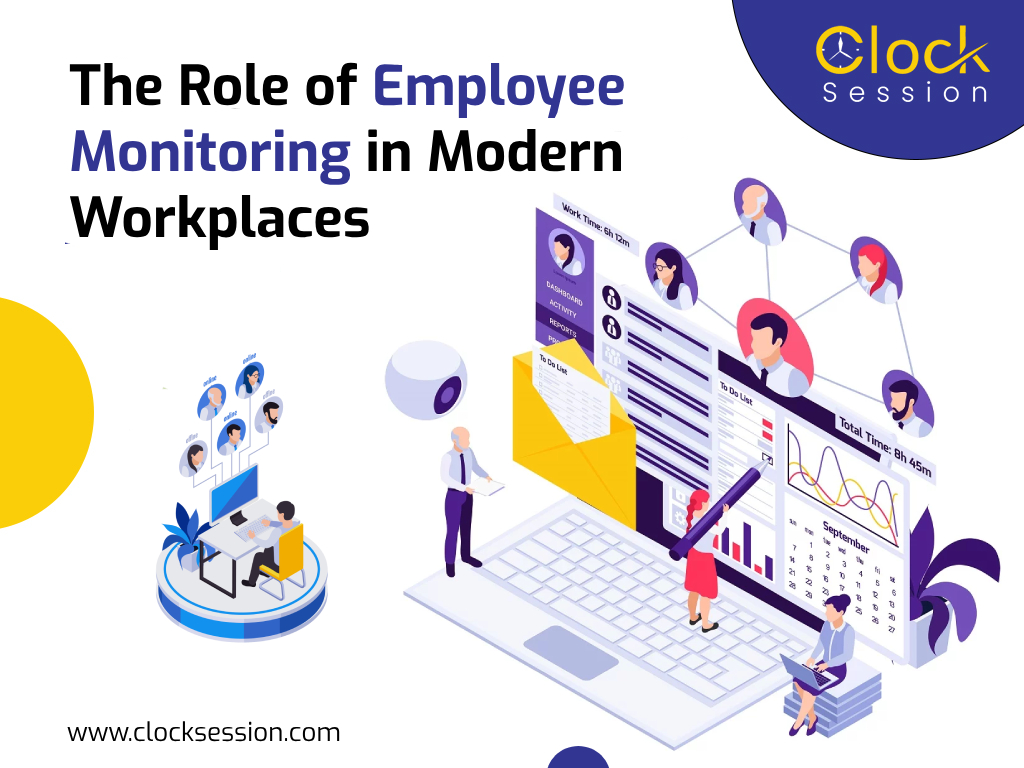
The Role of Employee Monitoring in Modern Workplaces
In today’s fast-paced and digitized business landscape, the way we work has undergone a significant transformation. With the advent of technology, remote work, and a growing emphasis on efficiency and productivity, modern workplaces face unique challenges and opportunities. One such opportunity that has gained prominence is the use of employee monitoring software. In this blog, we’ll delve into the role of employee monitoring in modern workplaces, exploring its benefits, challenges, and best practices. The Evolution of Modern Workplaces Before we dive into the role of employee monitoring, let’s take a moment to understand the evolution of modern workplaces. Over the past few decades, there have been several key developments that have reshaped the way we work: 1) Digital Transformation: The proliferation of digital tools and technologies has revolutionized how work is conducted. From cloud-based collaboration platforms to project management software, employees now rely on various digital tools to perform their tasks efficiently. 2) Remote Work: The rise of remote work has been accelerated by advancements in technology and a shifting mindset among employers. The ability to work from anywhere has opened up new possibilities and challenges for organizations. 3) Increased Focus on Productivity: In an increasingly competitive business environment, organizations are placing a premium on productivity. Companies are constantly seeking ways to optimize processes and ensure that employees are delivering their best. 4) Data-Driven Decision-Making: Data has become a cornerstone of decision-making in modern businesses. Access to accurate and timely data is crucial for strategic planning, performance analysis, and resource allocation. 5) Security Concerns: As businesses rely more on digital assets and remote work, data security has become a paramount concern. Protecting sensitive information from cyber threats is a top priority for organizations. The Role of Employee Monitoring In this evolving landscape, employee monitoring has emerged as a valuable tool for organizations to navigate the complexities of modern workplaces. Here’s a closer look at its role: 1) Enhancing Productivity: Real-time Monitoring: Employee monitoring software allows employers to track the work activities of their teams in real time. This provides insights into how time is being spent on tasks and projects. Identifying Bottlenecks: By monitoring employee activities, organizations can identify bottlenecks and inefficiencies in workflows. This information can be used to streamline processes and allocate resources effectively. Performance Evaluation: Employee monitoring provides data for performance evaluations. It helps in recognizing top performers and identifying areas where improvement is needed. Time Management: Monitoring tools can help employees manage their time more effectively by highlighting areas where time is being wasted or misallocated. 2) Remote Work Management: Ensuring Accountability: In remote work scenarios, it’s essential to ensure that employees are accountable for their tasks. Employee monitoring helps in tracking remote workers’ activities and productivity. Collaboration Support: Monitoring tools facilitate collaboration among remote teams by providing insights into project progress and communication patterns. Maintaining Work-Life Balance: Employee monitoring can also help ensure that remote employees maintain a healthy work-life balance by tracking work hours and break times. 3) Data Security and Compliance: Protecting Data: Employee monitoring software can help safeguard sensitive company data. It detects and alerts organizations to any suspicious activities that could indicate a security breach. Ensuring Compliance: For organizations in regulated industries, employee monitoring can be crucial for maintaining compliance with industry-specific regulations and standards. 4) Resource Allocation: Optimizing Resources: By analyzing employee data, organizations can make informed decisions about resource allocation. This includes decisions related to hiring, training, and infrastructure. 5) Improved Communication: Feedback and Coaching: Employee monitoring can be used as a basis for feedback and coaching sessions. It allows managers to provide specific feedback based on performance data. Transparent Communication: When employees are aware of monitoring practices and the goals behind them, it promotes transparent communication and a sense of trust within the organization. Challenges and Best Practices While employee monitoring offers numerous benefits, it is essential to approach it thoughtfully and ethically. Here are some key challenges and best practices associated with employee monitoring: Challenges: Privacy Concerns: Balancing the need for monitoring employees’ privacy rights can be challenging. It’s crucial to establish clear policies and communicate them to employees. Data Security: Safeguarding the data collected through monitoring is critical. Employers must ensure that the data is protected from breaches and misuse. Employee Resistance: Some employees may be resistant to monitoring, fearing micromanagement or privacy invasion. Educating employees about the purpose and benefits of monitoring can help alleviate concerns. Best Practices: Transparency: Communicate openly with employees about monitoring practices. Transparency builds trust and ensures that employees understand the goals behind monitoring. Legal Compliance: Ensure that monitoring practices comply with relevant laws and regulations. Seek legal counsel if needed. Data Protection: Implement robust data protection measures to safeguard the data collected through monitoring. Focus on Productivity: Emphasize the use of monitoring tools to enhance productivity and employee development rather than as a tool for punitive measures. Continuous Improvement: Regularly assess the effectiveness of monitoring practices and make adjustments as needed to align with organizational goals. Conclusion In the ever-evolving landscape of modern workplaces, employee monitoring plays a vital role in enhancing productivity, ensuring data security, and managing remote work effectively. By adopting best practices and addressing challenges, organizations can harness the benefits of employee monitoring while maintaining a healthy and transparent work environment. As technology continues to advance, the role of employee monitoring is likely to evolve, offering new possibilities for optimizing work processes and achieving organizational objectives in the digital age.
6 Compelling Reasons to Replace Excel with a Time Tracking Tool
In today’s fast-paced and hyper-competitive business landscape, effective time management is a critical driver of success. Whether you’re a solo freelancer, a small business owner, or part of a larger corporation, the ability to accurately track and manage your time can significantly impact productivity, efficiency, and profitability. While Microsoft Excel has traditionally served as a go-to tool for time tracking, this article will delve into six compelling arguments for switching to a specialized time tracking solution. 1) Precision Through Automation One of the foremost motivations for transitioning from Excel to a dedicated time tracking tool is automation. Time tracking solutions are meticulously designed to streamline and automate the process, drastically minimizing the margin for human error. With Excel, reliance on manual data entry means constant input of start and stop times or the arduous task of manually calculating time durations. This manual approach not only risks inaccuracies but also consumes valuable time that could be better invested in more mission-critical tasks. In stark contrast, time tracking tools embrace automation to its fullest. They have the capability to automatically record time as you work, eliminating the need for constant data input. This not only augments precision but also conserves your precious time for more meaningful endeavors. 2) Real-Time Insights: The Power of Instant Information Another compelling reason to make the leap to a time tracking tool is the invaluable access to real-time insights into your work and projects. Excel falls short in delivering instantaneous updates on your time allocation. With a dedicated time tracking tool, you gain the ability to monitor your activities as they unfold, providing valuable insights into your daily schedule. These real-time insights can become your secret weapon for making informed decisions concerning resource allocation, project prioritization, and overall time management. Whether you’re a project manager striving to keep a project on the right trajectory or an individual determined to enhance personal productivity, the immediacy of data can be a game-changing asset. 3) A Catalyst for Elevated Productivity Efficiency and productivity have never been more critical in today’s business environment. Many time tracking tools come fortified with features that can substantially boost your productivity. For instance, some tools offer task reminders and notifications to help you stay on top of your to-do list. Others can categorize your time entries, offering you insights into where you might be allocating too much or too little time. Excel, on the other hand, was primarily conceived as a spreadsheet program, lacking the arsenal of productivity-enhancing features that dedicated time management tools offer. Embracing a time tracking solution can propel you towards higher levels of organization and efficiency, resulting in a noticeable uptick in productivity. 4) Streamlined Client Billing: The Professional Touch For those who bill clients based on time spent on their projects, precise and transparent time tracking is non-negotiable. Excel’s shortcomings in generating detailed, professional invoices based on your time entries are apparent. Conversely, dedicated time tracking solutions provide a seamless experience when creating invoices that vividly outline the hours worked, tasks accomplished, and applicable rates. Furthermore, many time tracking tools effortlessly integrate with accounting software, simplifying the invoicing and payment processes. This integration not only saves you time but also nurtures a professional image when interacting with your clients. 5) Astute Project Costing and Budget Management In businesses that hinge on project-based work, astute project costing stands as an indispensable cornerstone. Excel can prove cumbersome when it comes to monitoring project costs and budgets, especially when dealing with multifaceted projects. Time tracking solutions typically encompass project management features that empower you to allocate resources, monitor expenses, and track progress in real time. By harnessing these features, you can ensure that your projects adhere to budget constraints and are executed within stipulated timelines. Achieving such precision and control is a tall order when relying solely on Excel. 6) Scalability and Seamless Integration As your business expands, your time tracking requirements will naturally evolve. Time tracking solutions are crafted to be inherently scalable, adeptly accommodating the shifting demands of your burgeoning business. Whether you’re onboarding more employees, broadening your array of services, or undertaking larger-scale projects, these tools exhibit the agility to adapt to your evolving needs. Moreover, many time tracking solutions exhibit effortless integration with other software applications that hold a central role in your business operations. These integrations can smooth out your workflow, reducing the necessity for manual data entry, and consequently, heightening time savings and precision. Conclusion: A Bold Step Towards Optimized Time Management In conclusion, while Microsoft Excel has earned its stripes as a versatile tool for various applications, including time tracking, there exists a plethora of compelling reasons to contemplate a transition to a dedicated time tracking solution. Automation, real-time insights, amplified productivity, impeccable client billing, meticulous project costing, and inherent scalability with seamless integration are the undeniable benefits that await those who choose to embrace a time tracking tool. As you embark on your quest for the ideal time tracking solution, it’s essential to bear in mind that the perfect fit will hinge on your unique needs and objectives. However, the verdict is clear: making the switch from Excel to a specialized time tracking tool has the potential to revolutionize your time management approach. Why tether yourself to Excel when a time tracking tool can propel you toward unparalleled efficiency, precision, and success? The time for change is now—unleash your full potential and watch your productivity soar. Ready to make the leap to a dedicated time tracking solution? We recommend trying out Clock Session. With its robust features, seamless integration, and user-friendly interface, it is your partner in achieving optimized time management. Say goodbye to Excel’s limitations and embrace a new era of efficiency and precision. Get started with Clock Session today! {{CODEschema}}
8 Best Free Time Tracking Software for Employee Time Tracking
Time is a valuable resource, especially in the workplace. Efficiently managing time not only increases productivity but also helps businesses monitor the allocation of resources. For both employers and employees, time tracking software can be a game-changer. It offers a systematic way to measure and optimize the use of working hours, leading to better time management, enhanced productivity, and streamlined workflows. In this blog post, we’ll explore the top 8 free time tracking software solutions designed to help employees and employers monitor and manage their time effectively. 1) Clock Session Website: https://clocksession.com/ Clock Session is the go-to time tracking solution for individuals and teams who need to log tasks and billable hours accurately. What sets Clock Session apart is its user-friendly interface and automation features, making it a preferred choice for those seeking simplicity and efficiency. Key Features: Automation: Clock Session automates time tracking, reducing the need for manual input. Detailed Reporting: Generate insightful reports to gain a clear picture of how time is spent. Team Collaboration: Collaborate seamlessly with team members by tracking time collectively. Productivity Insights: Analyze time data to identify productivity patterns and areas for improvement. Clock Session is suitable for freelancers, small businesses, and large enterprises alike. Whether you need to track billable hours or enhance your team’s productivity, Clock Session has you covered. 2) Toggl Website: https://toggl.com/ Toggl is a widely recognized time tracking tool known for its simplicity and ease of use. With Toggl, you can effortlessly track your working hours, providing valuable insights into your daily tasks and projects. Key Features: One-Click Time Tracking: Start and stop timers with a single click for seamless time tracking. Project Management: Organize tasks and projects to monitor time allocation effectively. Detailed Reporting: Generate visual reports to analyze your work patterns. Team Collaboration: Collaborate with team members by tracking time on shared projects. Toggl’s intuitive interface makes it an excellent choice for solo users and small teams looking for straightforward time tracking. 3) Harvest Website: https://www.getharvest.com/ Harvest is a versatile time tracking and invoicing tool designed to simplify project management and billing processes. With Harvest, you can effortlessly track time and convert it into professional invoices. Key Features: Time Tracking: Log hours spent on tasks and projects in real-time. Invoicing: Generate invoices directly from tracked time, making billing hassle-free. Expense Tracking: Keep tabs on project-related expenses for accurate cost management. Project Insights: Gain insights into project progress and resource allocation. Harvest is ideal for businesses that require comprehensive time tracking and invoicing capabilities. 4) Clockify Website: https://clockify.me/ Clockify offers a free and flexible time tracking solution for individuals and teams. It focuses on simplicity and integration, allowing users to track time across various projects and tasks. Key Features: Time Tracking: Log hours manually or use the timer for real-time tracking. Reporting: Generate reports to visualize time data and analyze trends. Integration: Seamlessly integrate Clockify with other project management tools. User-Friendly: Clockify’s straightforward interface makes it easy for anyone to track time. Clockify’s adaptability and integration capabilities make it a suitable choice for teams looking to enhance their time management. 5) Hubstaff Website: https://hubstaff.com/ Hubstaff offers a comprehensive time tracking and productivity-monitoring solution. It’s particularly valuable for remote teams, as it includes GPS tracking, online timesheets, and employee monitoring features. Key Features: GPS Tracking: Monitor remote employee locations for enhanced accountability. Online Timesheets: Record hours worked and track project progress in real time. Productivity Monitoring: Analyze employee activity levels to identify productivity trends. Payroll Management: Streamline payroll processing with accurate time data. Hubstaff is an excellent choice for businesses with remote or distributed teams that require robust time tracking and productivity monitoring. 6) Paymo Website: https://www.paymoapp.com/ Paymo combines time tracking with project management and invoicing functionalities, making it a versatile tool for freelancers and small businesses. With Paymo, you can manage your projects, track time, and bill clients seamlessly. Key Features: Project Management: Organize tasks and projects, assign team members, and track progress. Time Tracking: Log hours and expenses to ensure accurate billing. Invoicing: Generate professional invoices based on tracked time and expenses. Integration: Integrate with popular tools like Slack, Google Apps, and more. Paymo’s comprehensive suite of tools makes it an excellent choice for businesses with diverse needs, from project management to billing. 7) Clockodo Website: https://www.clockodo.com/ Clockodo is a straightforward and user-friendly time tracking solution designed for small businesses and freelancers. It focuses on simplifying the time tracking process, allowing users to log hours with ease. Key Features: Simplicity: Clockodo’s uncomplicated interface makes it accessible for all users. Project Tracking: Monitor hours spent on different projects and clients. Invoicing: Convert tracked time into invoices for efficient billing. Reporting: Generate basic reports to understand time allocation. Clockodo is a great choice for those who prioritize simplicity and want a hassle-free time tracking experience. 8) ClickUp Website: https://clickup.com/ ClickUp is primarily a project management tool, but it offers time tracking features within its free plan. It’s known for its customization options and collaboration capabilities, making it a comprehensive workspace for teams. Key Features: Customization: Tailor ClickUp to match your team’s workflow and preferences. Task Management: Create, assign, and track tasks seamlessly. Time Tracking: Monitor hours spent on tasks and projects directly within the platform. Collaboration: Collaborate with team members, share documents, and communicate effectively. ClickUp is an excellent choice for teams seeking a single platform for project management and time tracking. Conclusion: Effective time tracking is essential for both employees and employers. It empowers individuals to manage their time efficiently, achieve productivity goals, and maintain a healthy work-life balance. For businesses, time tracking software offers insights into resource allocation, project progress, and cost management. The eight free time tracking software solutions mentioned in this blog post cater to various needs and preferences. Whether you’re a freelancer, a small business owner, or part of a larger team, there’s a suitable tool available to help you manage your time effectively. Remember: The right time tracking software can make a significant difference